
Office cleaning
Marks Under Monitor Feet on a Wood Desk: Dirt or Finish Damage?
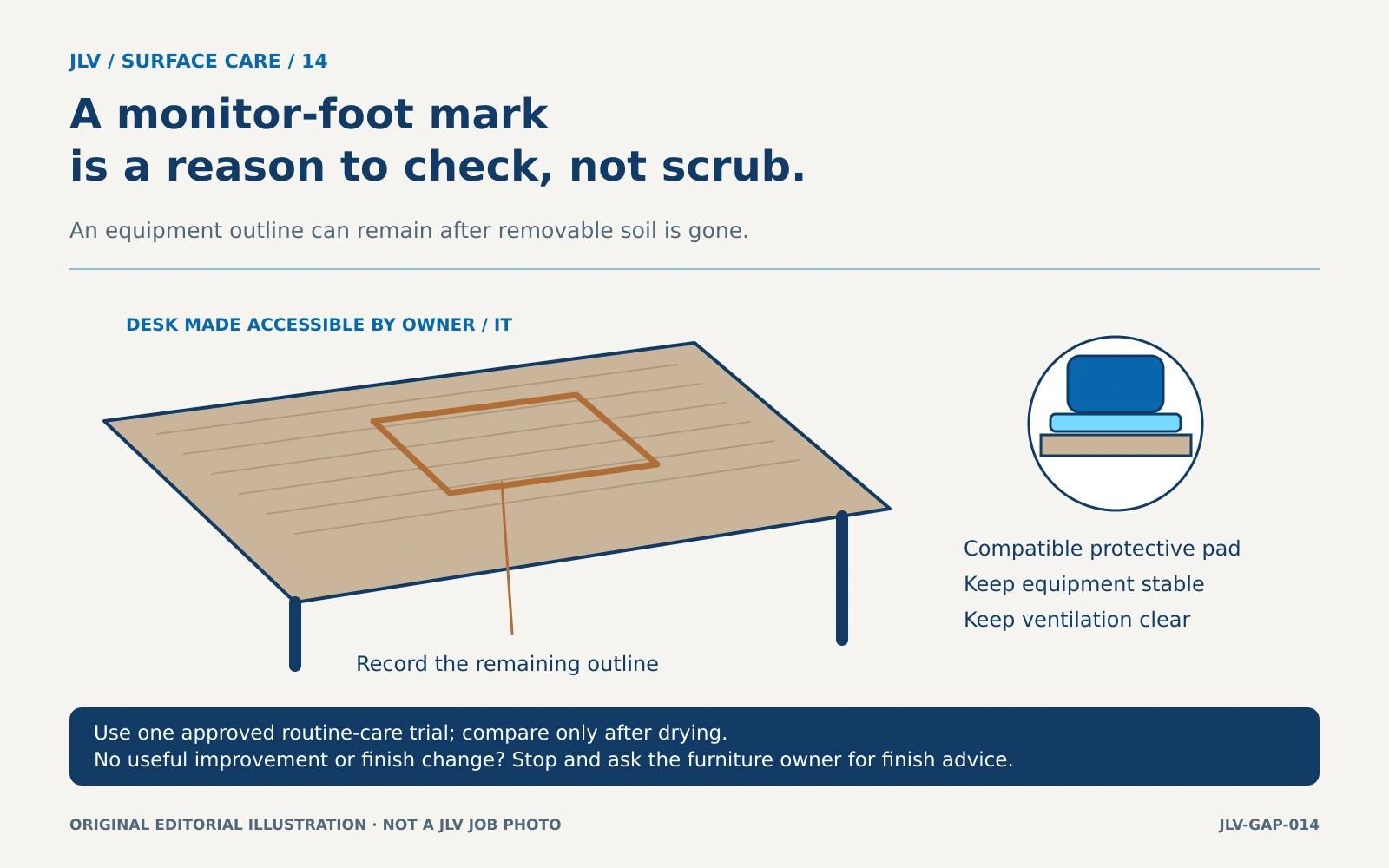
A dark outline beneath a monitor stand deserves a pause before another round of scrubbing. On a wood-veneer desk, an equipment footprint can remain after ordinary dirt is gone. The useful decision is whether approved routine cleaning changes the mark, or whether the furniture owner needs finish advice.
Confirm the desk before moving the equipment
Find the furniture make, model and finish through the purchase record, underside label or facilities inventory. Woodgrain alone does not identify veneer: a laminate desk can look similar. Ask whether the desk has been refinished, since the original care sheet may no longer describe its surface.
This article uses Herman Miller's wood-and-veneer guidance as a specific example. Its general section excludes certain oiled Eames finishes, which have separate instructions. Use it only for a matching product and finish; get the relevant manufacturer's directions for other desks. Herman Miller wood and veneer care.
Arrange for the workstation owner or IT staff to make the area accessible. A cleaner should not discover cable limits by pulling a monitor forward. Printers may also contain loose paper, attached accessories or confidential material. Agree who will move the equipment, where it can sit safely and who will reconnect it.
Record what is there before cleaning
With permission, make a simple condition record that excludes screens, papers and personal information. Note the location and shape of each mark and whether the surface is already chipped, lifting or visibly scratched. An outline matching a foot is a useful observation, but its shape alone does not prove the cause.
Compare the area in ordinary room lighting. A photo can help the owner recognize a change after drying, provided the same angle and lighting are used. Avoid promising that a dark footprint will disappear before a compatible method has been tried.
Make one controlled routine-care trial
For the covered Herman Miller finishes, the manufacturer directs routine dusting with a slightly damp, soft, lint-free cloth followed by drying along the grain. Its periodic dirt-and-fingerprint care uses an appropriate wood-furniture cleaner on a soft cloth, then drying. It also warns that compounds in equipment feet can leave permanent marks and recommends protective pads. These directions establish both a reasonable cleaning method and a reason to stop. Manufacturer care guidance.
Before treating the visible mark, confirm that the proposed cleaner suits the exact finish and follow its label. Trial the approved method on a small, inconspicuous area. Let that area dry and check for color transfer, dulling, stickiness or a change in sheen. If the finish changes, stop and report the result.
If the test is satisfactory, apply the approved routine method to the marked area without increasing pressure to chase a remaining outline. Keep moisture away from desk openings and equipment. Inspect only after the surface has dried.
Decide whether cleaning has reached its limit
A successful result is a surface free of removable soil without an altered finish. A visible mark can remain even when that cleaning task is complete. Record which method was used and what remained so another shift does not repeat the same unsuccessful treatment.
Stop if ordinary approved care produces no useful improvement, or if the finish shows damage. Do not turn a cleaning visit into sanding, abrasive polishing or color repair. Send the furniture owner a concise description and ask them to consult the supplier or a furniture refinisher about the next step.
Prevent a repeat at the workstation
Have the equipment owner choose protective pads compatible with both the desk finish and the equipment's stability requirements. Confirm they will not obstruct ventilation or create a wobble. Include a safe access arrangement in the cleaning plan so the desk underneath can be checked periodically.
For a laminate surface, use the separate laminate desk guide. For cable-access planning, see cleaning around desk cables.
Contact JLV to discuss routine office-cleaning scope, including furniture-care instructions, equipment access and marks that need an owner's decision.